
Four portals. One set of data.
Admin, broker, employer and employee all work in the same platform — each sees exactly what their role permits. Tenant separation is not a configuration setting; it is anchored in the database.
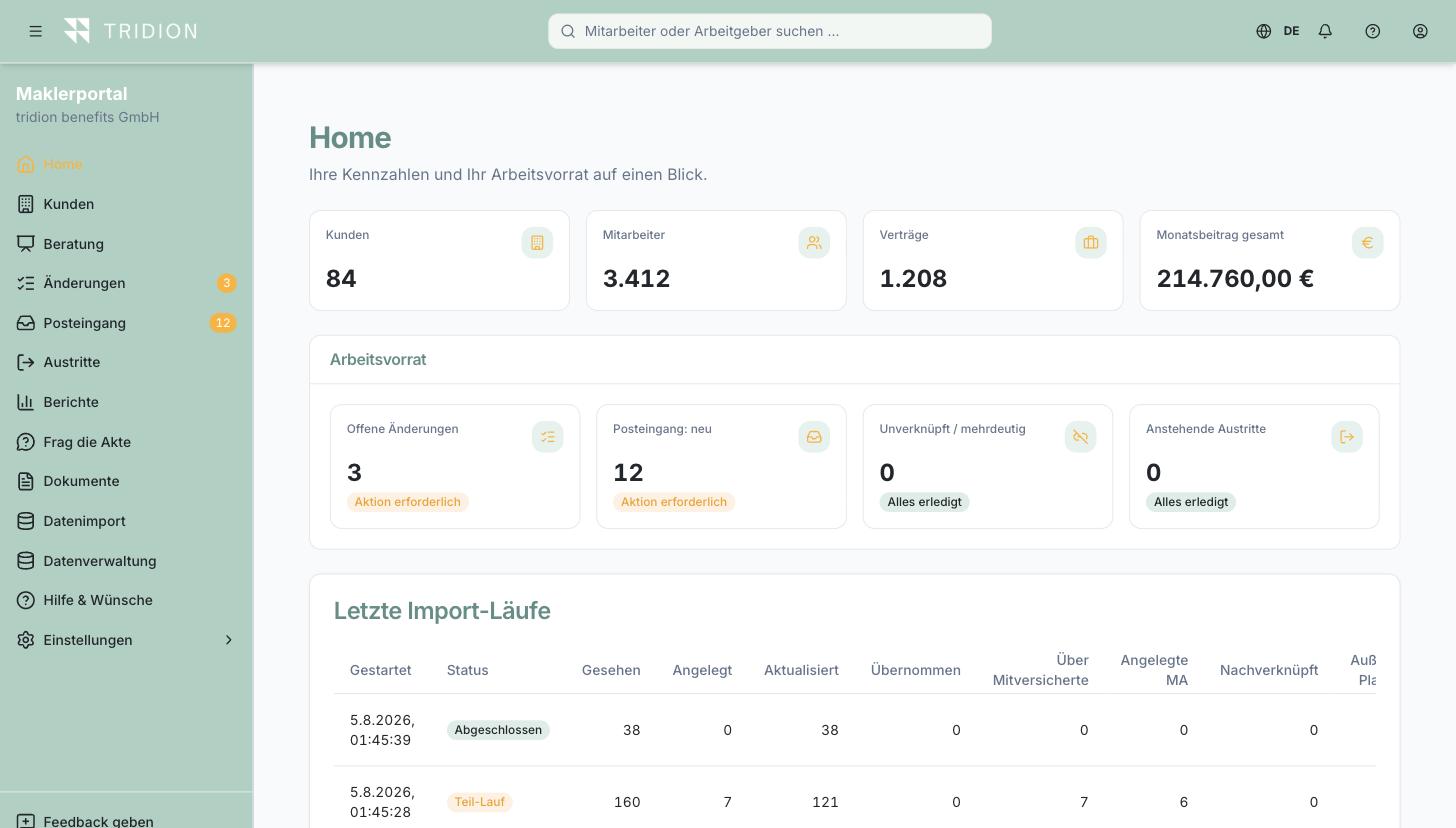
Broker portal
Portfolio, client files, advice, inbox, reports — your whole book in one place.
See the portal →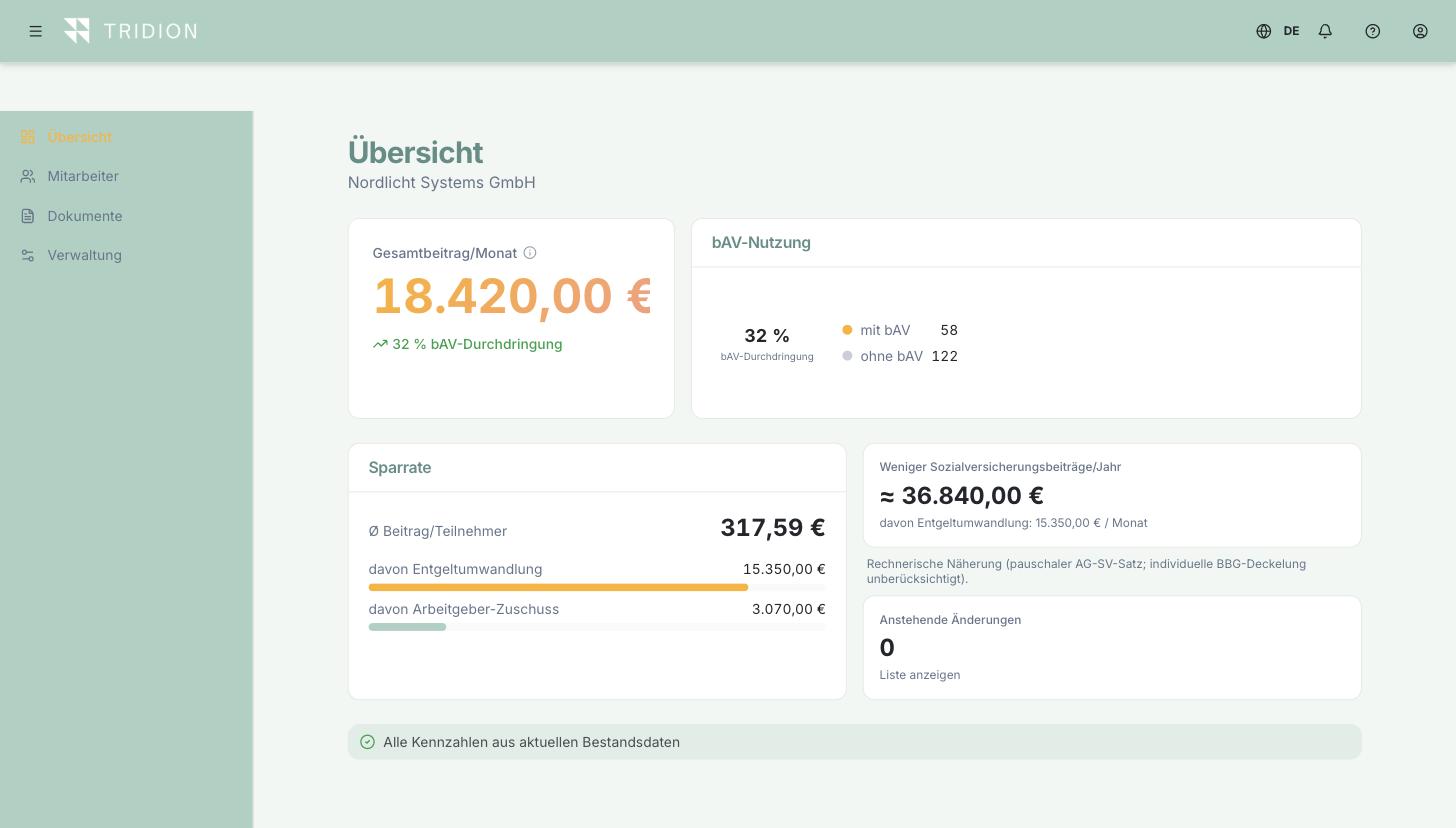
Employer portal
Take-up, contributions, employer match and payroll export at a glance.
See the portal →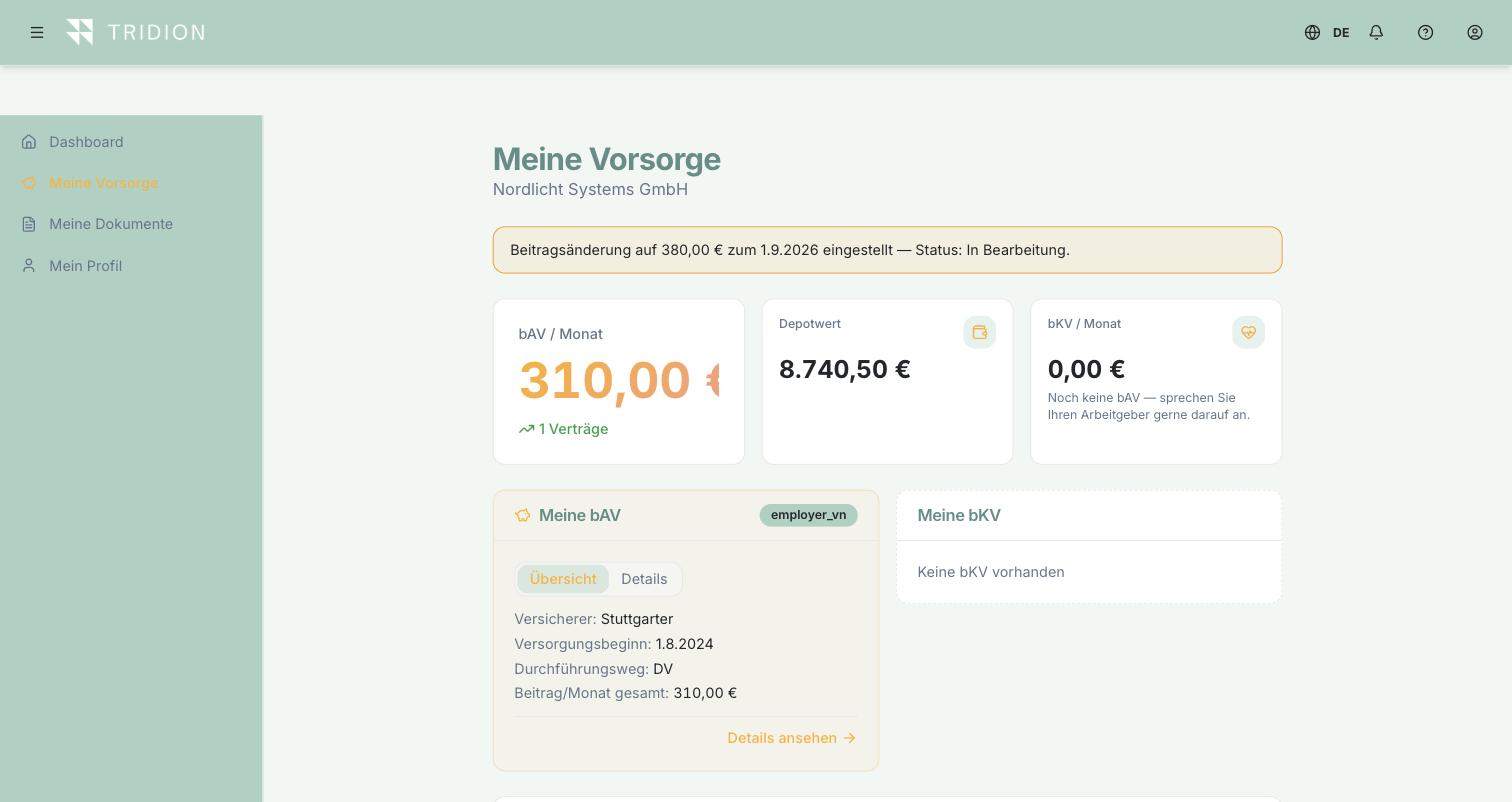
Employee portal
What am I paying, what is my employer paying, what is it worth today.
See the portal →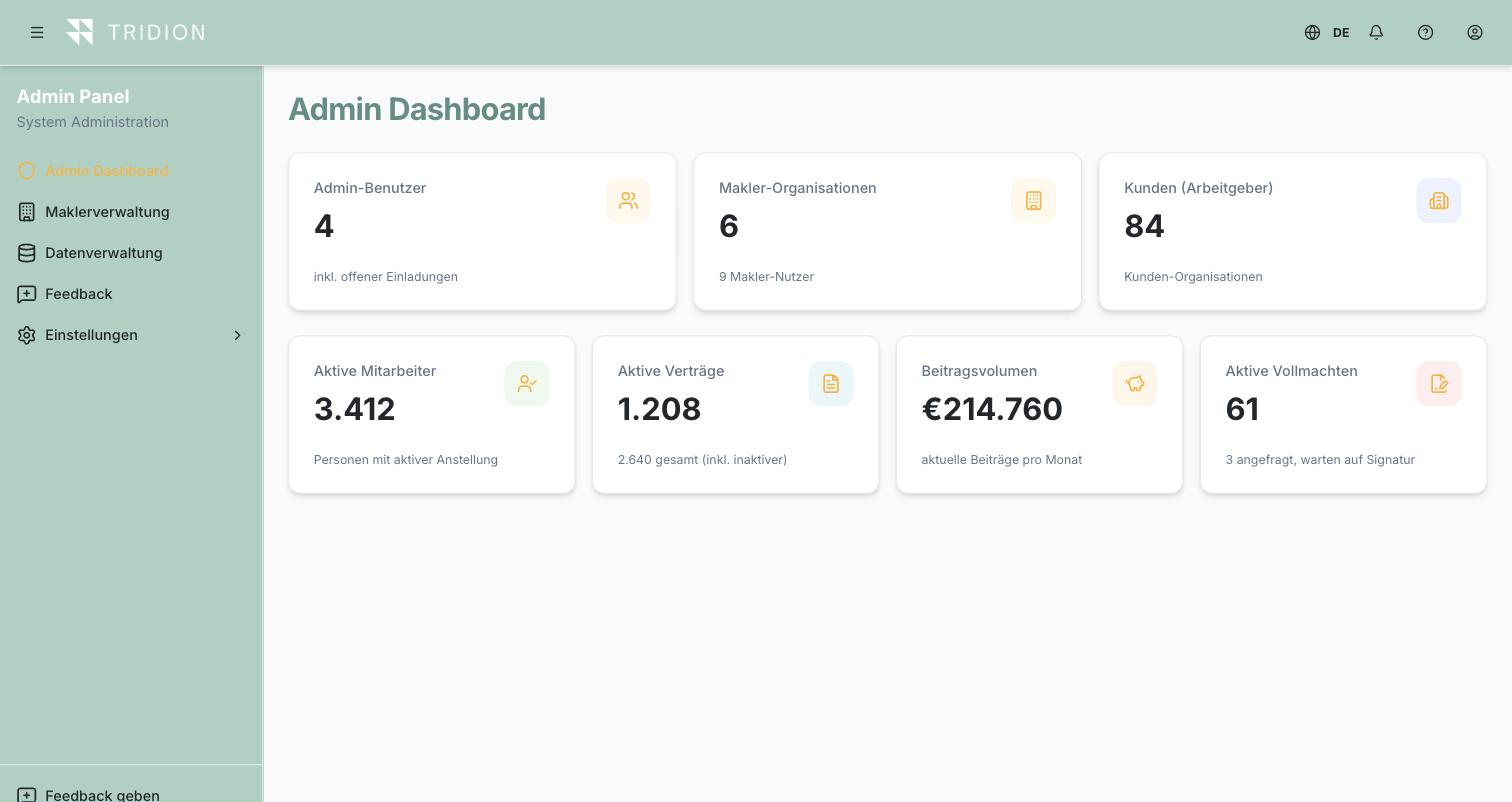
Admin panel
Tenants, roles, permissions, data quality — the layer nobody sees but everybody relies on.
See the portal →Real screens from the product. All names and figures shown are fictitious.
What the product does
This list contains only features that exist in the product today — nothing that is merely planned.
For brokers
- Client file per employer
- Employee detail view with contribution split
- Advice journey including power of attorney (DocuSign)
- Document inbox with extraction and matching
- Portfolio import: CSV, insurer files, Alte Leipziger sync, document sync via Fonds Finanz
- Fund holdings with daily prices
- Insurer comparison and tariff catalogue
- Reports and client statistics
- Change management with a rule set
- Cases and follow-ups with a due date
- Duplicate detection and merging
- Signature journey with automatic reminders
- Advice documentation for the meeting
- Leaver administration
- User and permission management
- CRM integration (Pipedrive)
- Operational view of every integration, with schedule and outcome
- "View as employee"
For employers
- Employee administration
- Contract overview for pensions and corporate health care
- Payroll export with a secure download link
- Contribution lists sent to your own recipient groups on the cut-off date, with a reminder
- Leavers and change of employer as a guided journey
- Document storage
- Reports and analyses
- Onboarding access for new joiners
- Import from HR systems and CSV
- Invitations individually or in bulk
- Own user and permission management
Platform foundations
- Role model with strict tenant separation
- Two-factor authentication
- Four languages: DE · EN · ES · FR
- Tax, social security and contribution ceilings per year, maintained automatically
- Self-service checkout and subscription management online
- Responsive for desktop, tablet and phone
For employees
- Dashboard with contribution, employee and employer share, and saving
- Contract details like a brokerage account: fund positions, units, current NAV, portfolio value and performance — including the fund investment versus general account (Deckungsstock) split
- Documents available at any time
- Profile and change requests
- Report a change of employer or a leaving date
- Access to your pension and investments continues after you leave the company
- Guided onboarding
- Support chat
On the roadmap
- Native apps for iOS and Android
- Pay transparency analysis
- Further insurer interfaces
- Single sign-on
What this looks like for employees in practice — positions, NAV, portfolio value and the fund investment/general account split — we show on the homepage →
Assistance that answers from your own portfolio
Not a chat window handing out general information, but two narrowly scoped helpers working on the data already in your client file.
Ask the file
Questions about the portfolio in plain language — which contracts at an employer carry no employer match, where a power of attorney is missing, which contributions change at the cut-off date. The answer is built from your own data and names the records it rests on.
Fund guidance during advice
Support for fund selection inside the advice journey, based on the tariff and the fund range actually available — not a recommendation out of thin air.
Only once you agree — and you can see exactly what happened
AI ships switched off. Each broker decides in their own settings whether to enable it and at which level; without that consent the platform refuses every AI request — technically, not as a notice. Usage is capped and logged per firm, and a dedicated usage report shows at any time how often the AI was used, for what, and with what outcome.
HR system upstream, payroll downstream
Benefits administration rarely fails on the subject matter. It fails on keeping the same data in two places. That is why the Pension Cloud deliberately sits between your systems: master data comes from the HR system, payroll figures go to payroll accounting. Nobody types anything twice.
Upstream · HR system
- Joiners and leavers
- Master data and personnel number
- Salary and salary changes
- Status changes: parental leave, sabbatical, sickness
- Cost centre and legal entity
tridion Pension Cloud
- Mapping person ↔ contract ↔ insurer
- Contribution and employer match logic including thresholds
- Insurer sync and document matching
- Roles, tenants, history, audit trail
- Portals for employers and employees
Downstream · Payroll
- Converted amounts per personnel number
- Employer match shown separately
- Tax- and social-security-free portions
- Changes as at the cut-off date
- Monthly export with a secure download link
Connected systems
Live means: present in the product and in use. Everything else is honestly marked as planned.
If your system is not listed
Integration runs through a generic framework with configurable field mapping — not through a hard-wired special case for each system. A new source system is therefore configuration rather than a project. And for anything without an API, file import remains, with duplicate detection and a protected source hierarchy: curated data is never silently overwritten by an import.
Best seen for yourself.
In an initial consultation we'll show you the platform against your own case.
Book a demo